
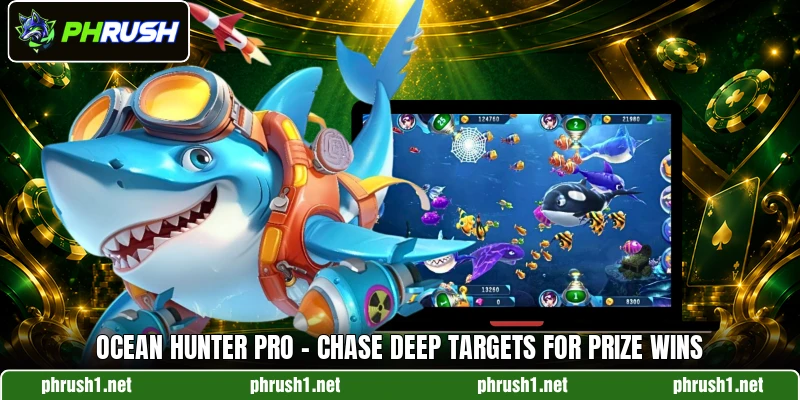
Ocean Hunter Pro gives members a focused look at an ocean themed shooting game with moving targets and changing rewards. On PHRUSH, the game fits players who want clear rounds, simple controls, and PHP or USD play. This guide is written for members, while players can learn rules, rooms, and safer choices before joining.
What makes Ocean Hunter Pro simple to understand
The game uses a sea screen where fish, bosses, and bonus targets cross the view. Each shot costs a chosen amount, so members should read room values before firing. Small targets usually move faster, while larger creatures often need more hits.
PHRUSH presents Ocean Hunter Pro as a fishing style betting title with simple visual signals. Players select cannon strength, aim toward moving targets, and wait for round results. The pace stays steady because targets enter from different sides during every scene.
PHP and USD values help Philippine members compare stake sizes before choosing a room. Clear icons make the game easier to read, even when many targets appear together. Rewards depend on target value, shot cost, and the result shown after hits.
How the sea underwater round works clearly
The screen uses targets with different sizes, values, and movement speeds. A round in Ocean Hunter Pro begins when players choose a room and confirm a shot value.
Main Ocean Hunter Pro controls
The aim button follows the cursor or tap point, depending on the device. Members can change cannon value when the room allows different shot levels. A higher shot value can hit stronger targets but also uses balance faster.
The fire button sends one shot toward the selected direction. Some versions include auto fire, which keeps shooting until players turn it off. Manual shots give more control when fast targets cross the screen.
The Ocean Hunter Pro interface usually shows balance, cannon level, and recent hits near the edge. Players should check these items before changing rooms or raising shot value. A clear view helps members avoid confused taps during crowded moments.
Target values and hit results
Targets carry different values because small fish, medium creatures, and bosses pay differently. Members should not treat every target as the same chance. A slow boss may look attractive, yet it can require many shots.
Hit results appear after the system checks the shot and target outcome. When a target is caught, the reward adds to the visible balance. When it escapes, players can choose another target without waiting long.
Many screens show recent wins, target names, or reward numbers near the action. These signs help members follow which creatures gave better returns in that room. Players can use the information to understand the round instead of guessing blindly.
Bonus beings and special scenes
Bonus creatures usually stand out through size, color, or screen movement. They may appear less often than normal fish during a session. Players often notice them because the animation changes around the main view.
Special scenes can bring extra targets, faster waves, or a short event. Members should watch the screen before switching cannon value during these moments. Fast reactions matter, yet random firing can waste shots.
In Ocean Hunter Pro, bonus moments still depend on target capture and selected shot value. A bigger reward often needs stronger fire or several accurate attempts. Players should read the scene carefully before chasing every bright creature.
View more: Neptune Storm Jackpot – Fight Rough Seas For Big Loot
Room choices and stake levels
Rooms usually separate members by entry value, cannon range, or target strength. A lower room can feel slower, but it helps members learn screen movement. A higher room may show stronger creatures with larger reward numbers.
Players should compare PHP or USD values before entering a room. The same visual target can feel different when the shot cost changes. Room selection should match the level that members can follow without rushing.
Some rooms may include faster waves, bigger bosses, or more crowded screens. Members who prefer calmer play can choose a slower setting first. Players who understand timing may move later into rooms with quicker action.
Ways to engage with cleaner choices
Playing Ocean Hunter Pro becomes clearer when members match target choice with room speed. Better decisions come from reading value, movement, and cannon strength before shooting.
Starting with minor value targets
In Ocean Hunter Pro, small targets help members read firing timing without heavy cost. They move across the screen often, so players can study patterns quickly. Early hits also show how the room responds to basic shots.
Low value targets can train aim because they require steady attention. Members should follow one clear target rather than spraying at the whole screen. This habit keeps each shot connected to a visible reason.
After several rounds, players can compare small targets with medium creatures. The goal is to notice which choices fit the current cannon strength. Better reading makes the next room change easier to judge.
Reading movement anticipating shooting
Targets do not move at the same speed across the ocean screen. Some creatures cross straight lines, while others curve or hide behind groups. Members can wait one second to see the path clearly.
Shooting ahead of a target may work when the creature moves fast. Direct shots can suit slow fish that stay near the center. Players should adjust aim based on movement rather than screen noise.
Crowded waves can make several targets overlap in one area. Members should choose the clearest target when many bodies cover each other. Cleaner aiming helps avoid wasted shots on creatures already leaving the screen.
Choosing sessions by room pace
A room with steady waves gives members more time to aim. A room with fast waves can demand quicker taps and sharper target choices. Players should notice pace before increasing any cannon value.
Ocean Hunter Pro can feel different when room speed, target size, and shot level change together. Members may prefer short sessions when learning a new room. This keeps attention on the screen instead of chasing too many goals.
Good sessions focus on clear targets, readable movement, and suitable shot cost. Players can leave crowded rooms when the action becomes hard to follow. A smoother pace often creates better timing for the next shot.
View more Category: Fish
Conclusion
Ocean Hunter Pro works best when players understand targets, room values, and shot timing before each round. The game has a clear sea theme, while PHRUSH gives members a direct place to register and join. Download the app, open the game, and may every careful shot bring better luck.